






























































2020-21 Regular Season: How to stream via WHL Live
Getting Started:
- You should have received your unique streaming code via email from Victoria Royals.
- Registration must be done on a computer browser (not with a mobile device)
Step-by-Step Guide:
- Go to https://watch.chl.ca
- On the top right, click “Sign In / Register” (Go to Step 4 if you already have an account)
- Follow the instructions below depending on whether you have an old WHL Live account or need to create a new account:
To create a new account:
↓ |
If you have an old WHL Live account:
↓ |
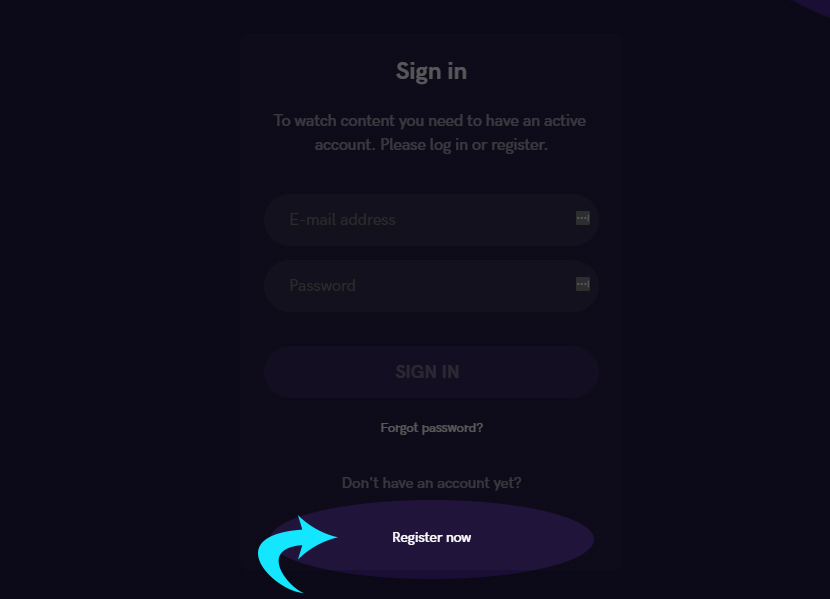
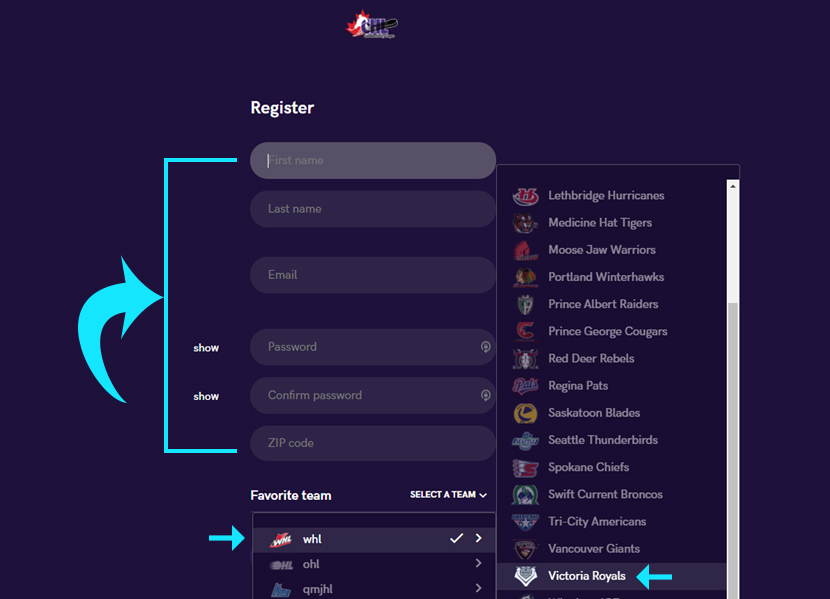
| Click on “Register Now”
|
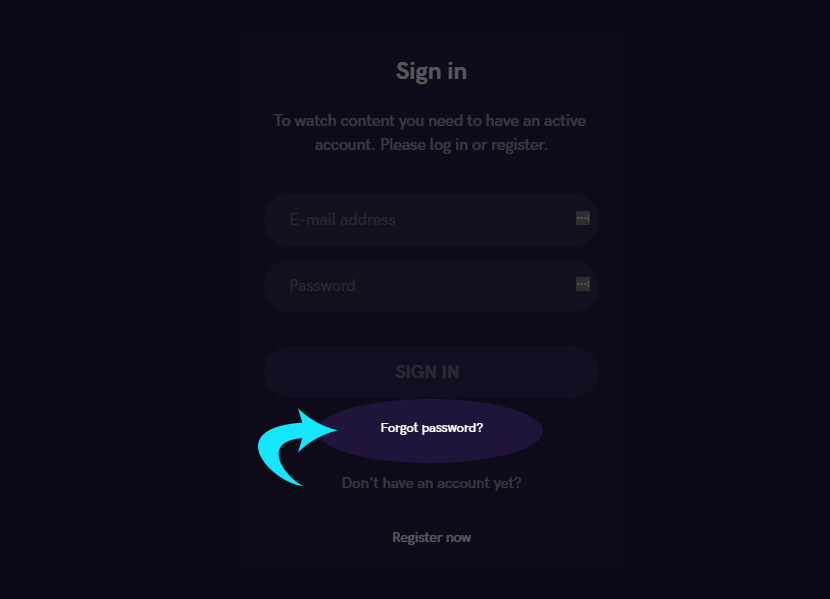
Click on “Forgot Password?”
|
| Complete the form (don’t forget the most important part… selecting Victoria Royals as your favourite team!)
|
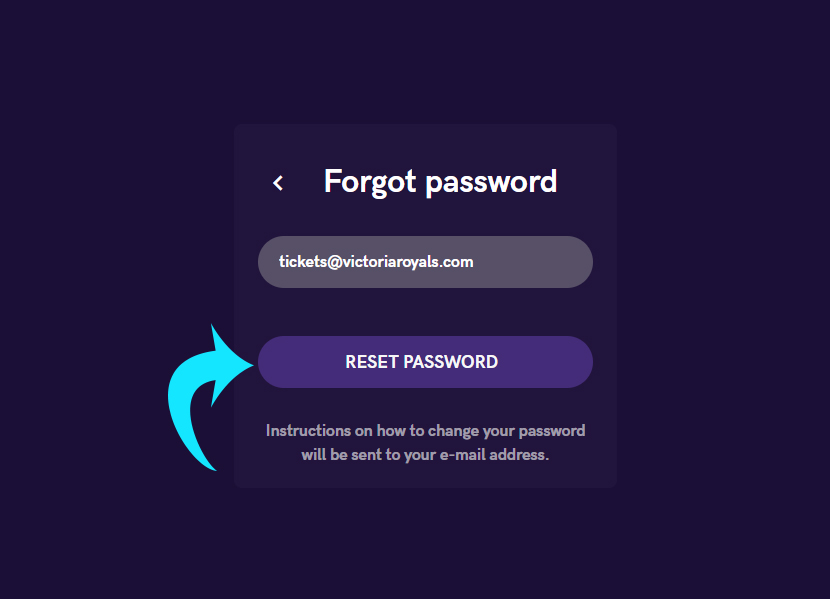
Enter your email and press “Reset Password”. Instructions will then be sent to your email address.
|
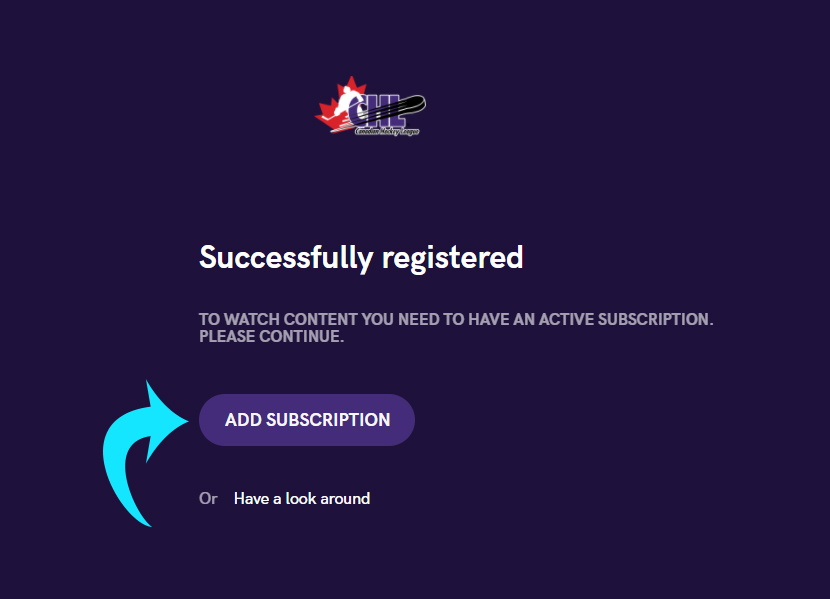
| Now that you are registered & signed-in, press “Add Subscription”.
|
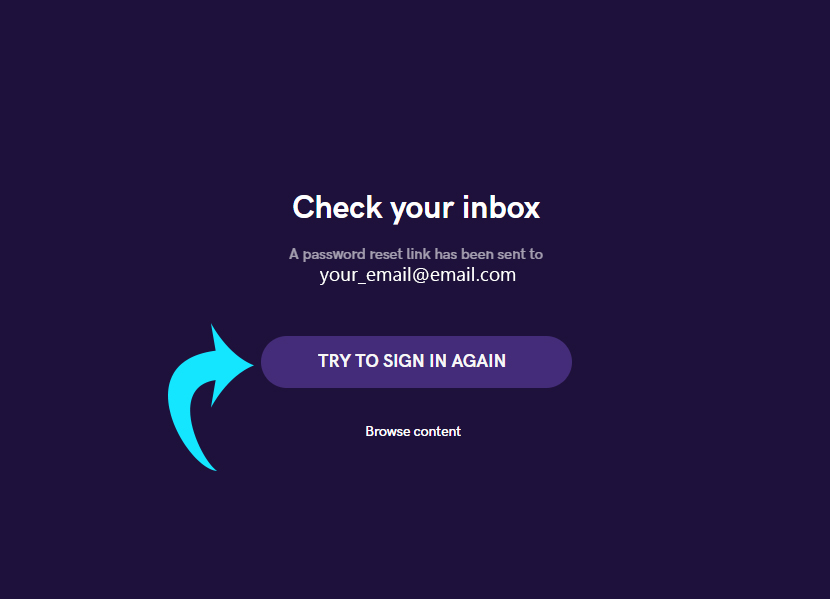
Follow the instructions in your email to reset password. Then, click “Try to Sign In Again”.
|
| Continue to step 7. | Continue with instructions below. |
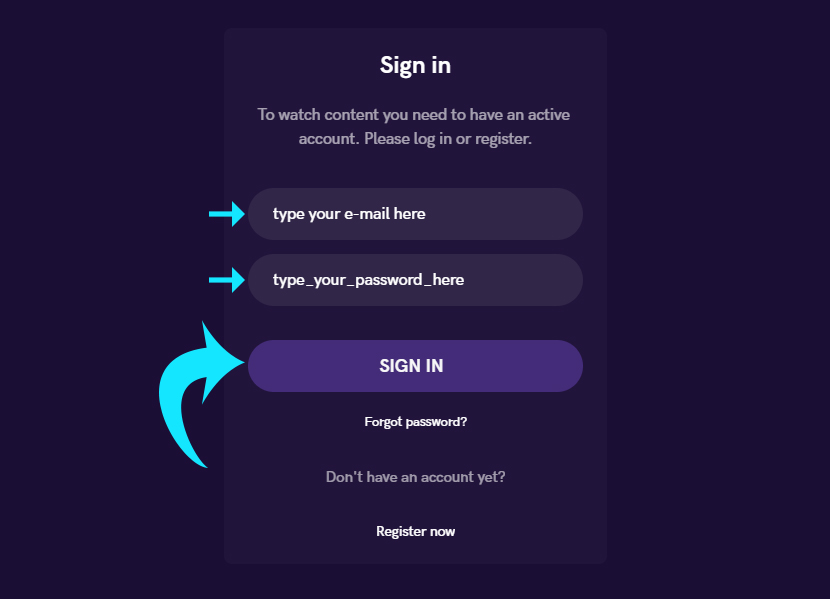
| 4. Enter your credentials and press “SIGN IN”
|
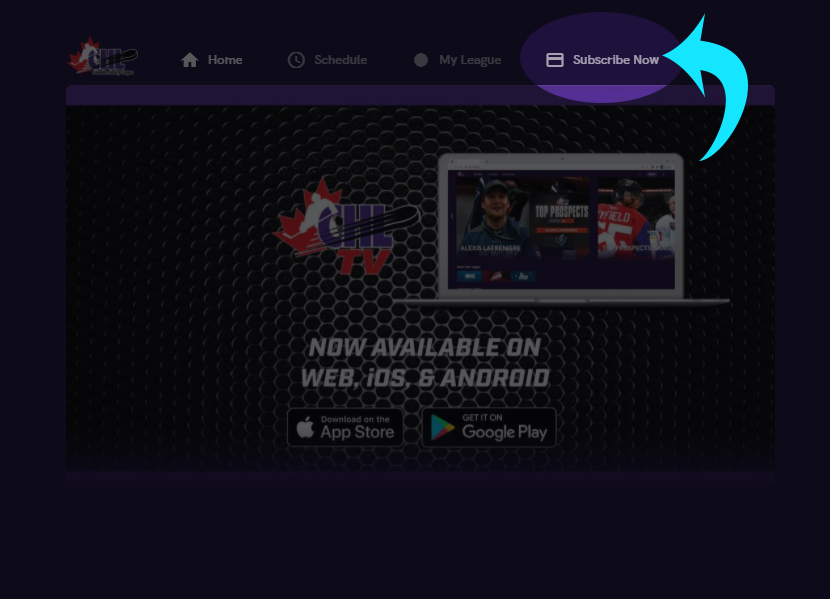
| 5. Once signed in, press the “Subscribe Now” on the top right
|
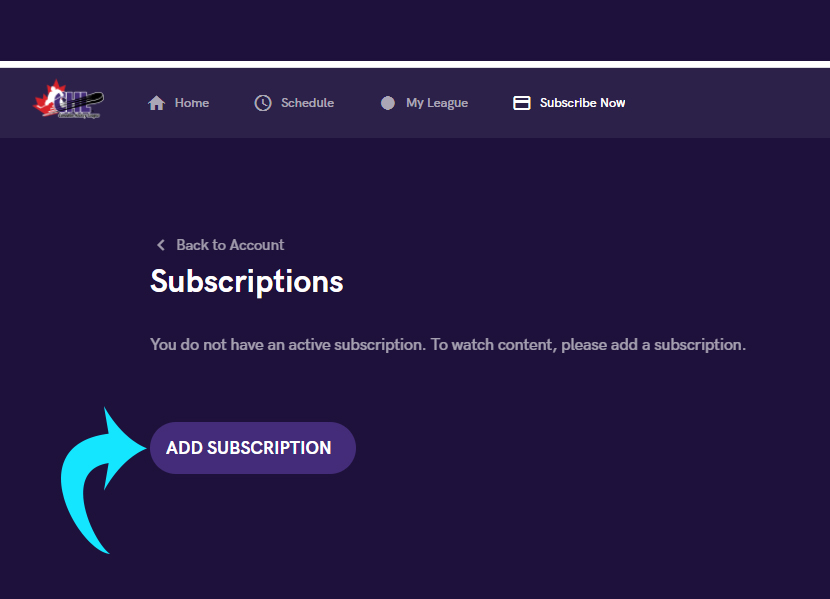
| 6. Click the “Add Subscription” button
|
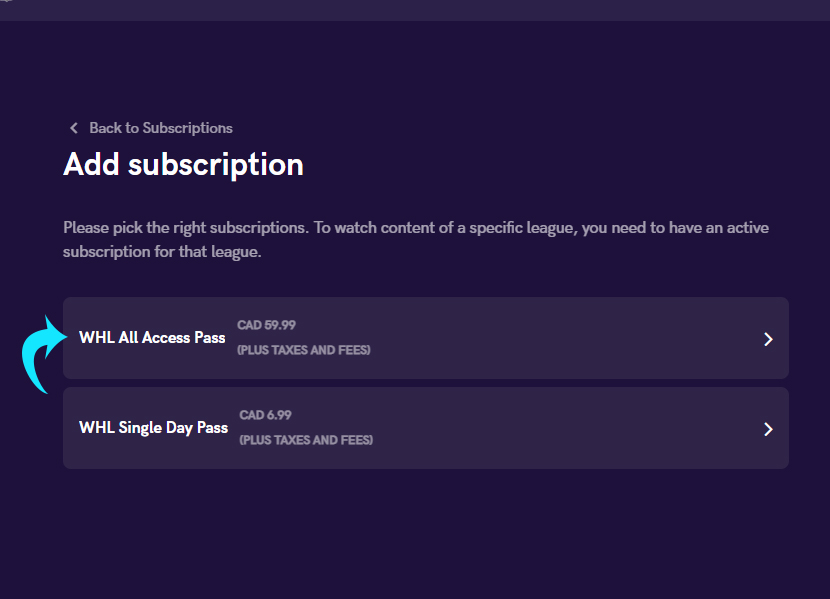
| 7. Select WHL All Access Pass
|
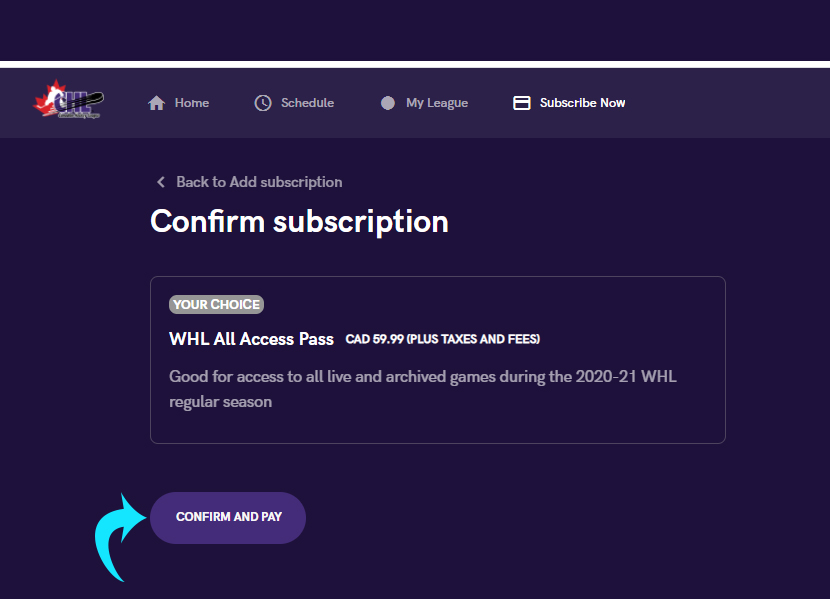
| 8. Click on “Confirm And Pay”
|
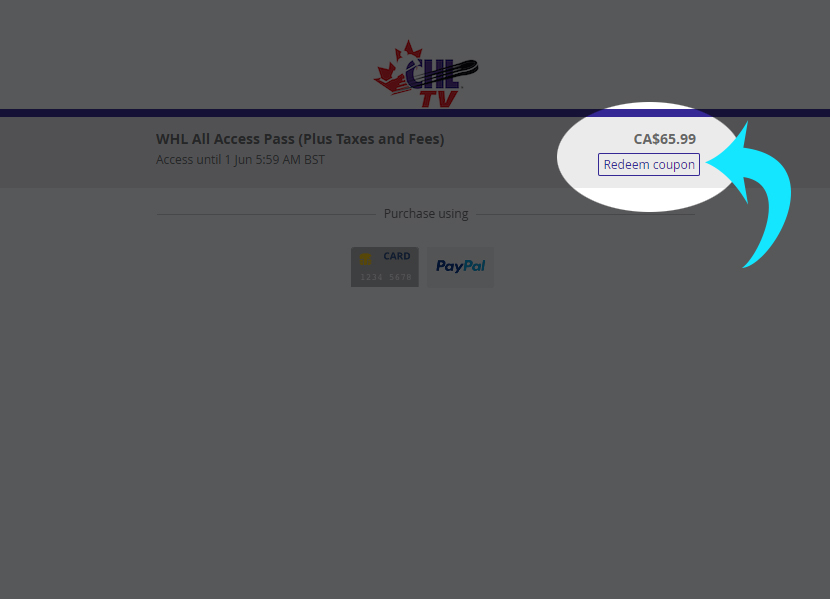
| 9. Click on “Redeem Coupon”
|
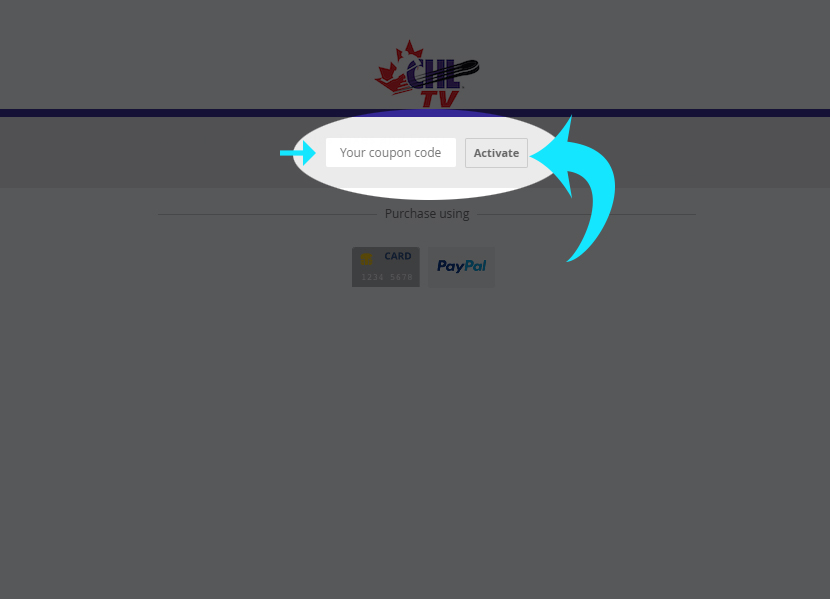
| 10. Enter the streaming code you received in your email and press the “Activate” button
|
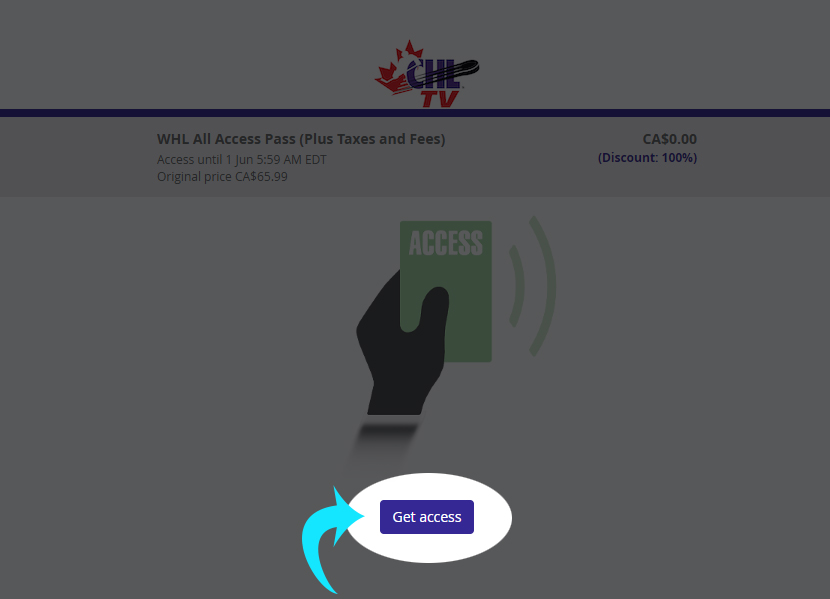
| 11. Click the “Get Access” button
|
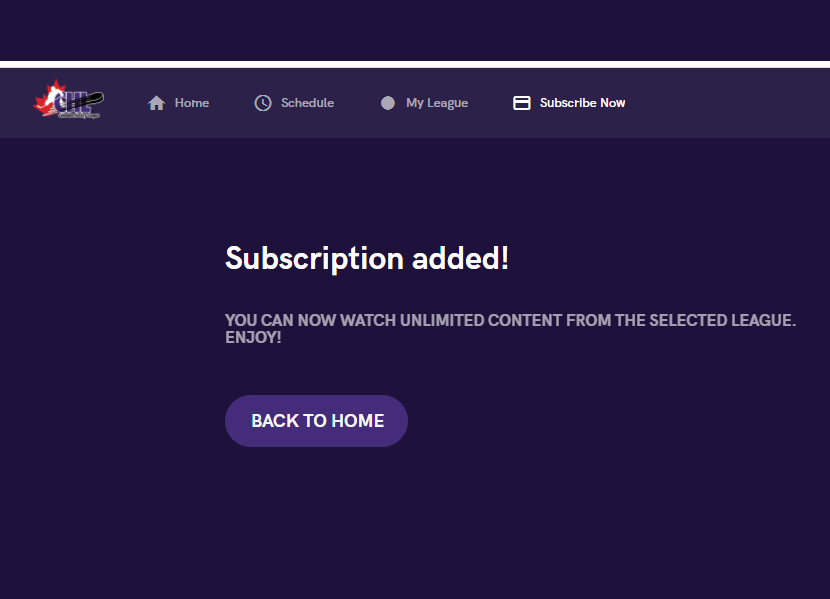
| You now have full access to watching us LIVE!!
|
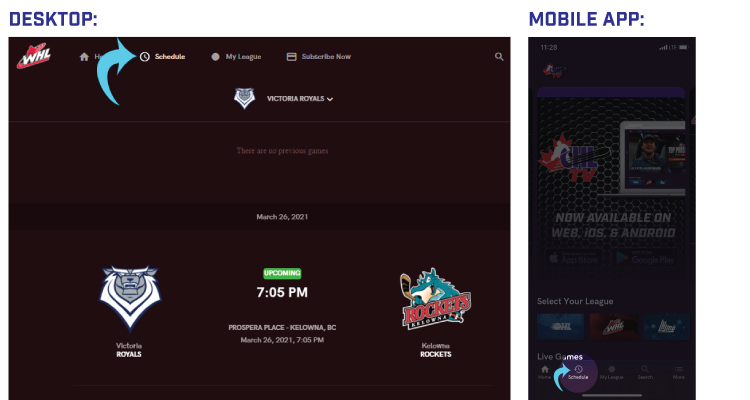
| Go to https://watch.chl.ca on your desktop or open the CHL TV app on your smart phone on game day and press the ‘Schedule’ button to watch the game. Log in anytime to watch league videos!
|